

BullBull Unpacker
BullBull Unpacker is a Windows extractor for nested and disguised archives.
 Install from Microsoft Store
Features
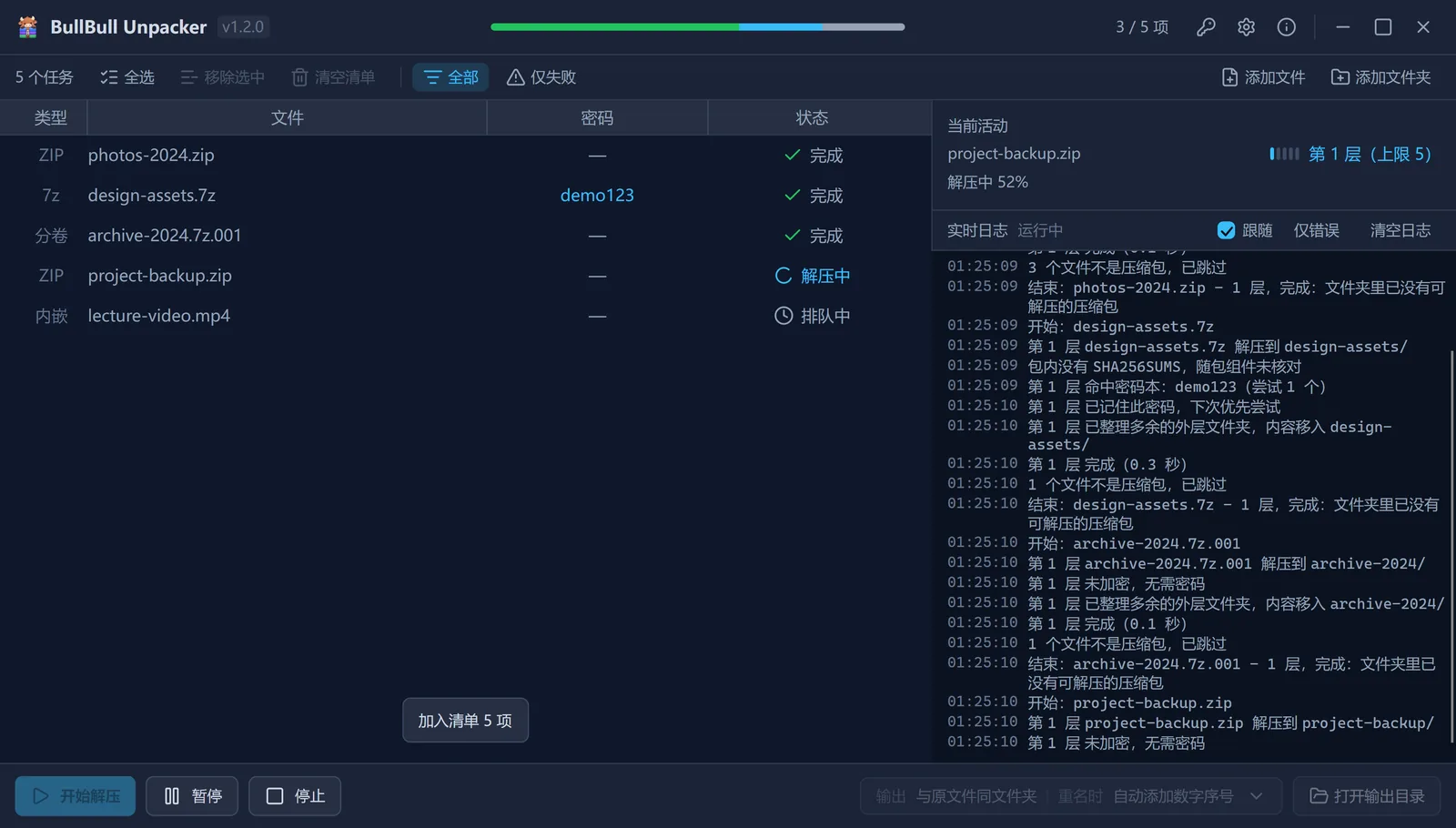
Nested extraction
Unpacks layer by layer, tidies up the outer folders when done and deletes intermediate archives.
Disguised archives
Detects the real format, so disguised archives unpack like any other.
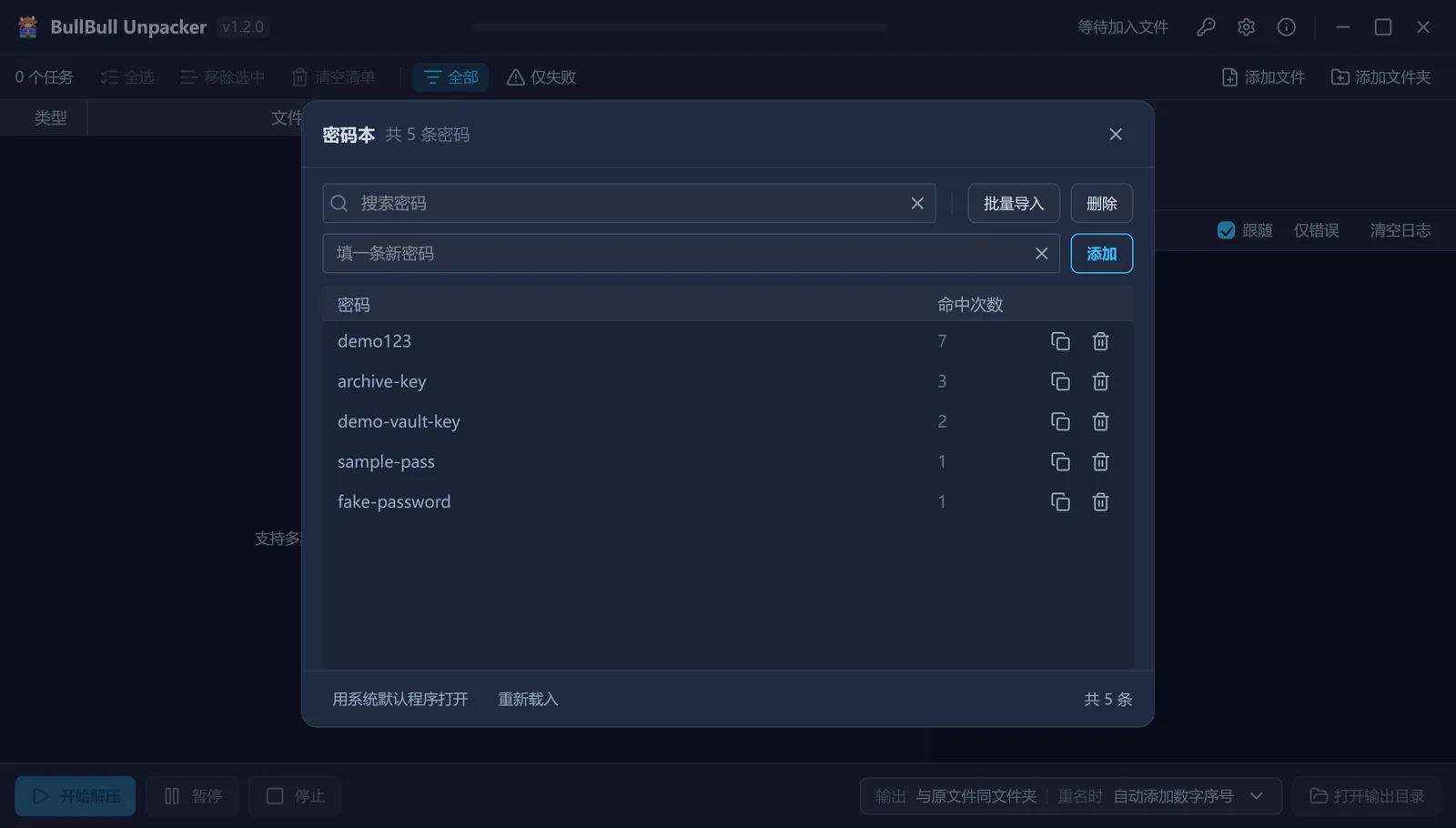
Password book
Tries a password from the file name, then the password book, then a prompt; a working one is saved to the book.
Context menu
Adds files to the extraction queue right from Explorer; the Store build supports the new Windows 11 menu.
Bundled engines
Bundles UnRAR and 7-Zip ZS, so no separate WinRAR or other extractor is needed.
Supported formats
zip / 7z / rar / rar5 / tar / gz / bz2 / xz / zstd / lz4 / lz5 / cab, plus archives disguised as other formats.
Changelog
1.2.0Migrated from Python to C#2026-10-17
Added
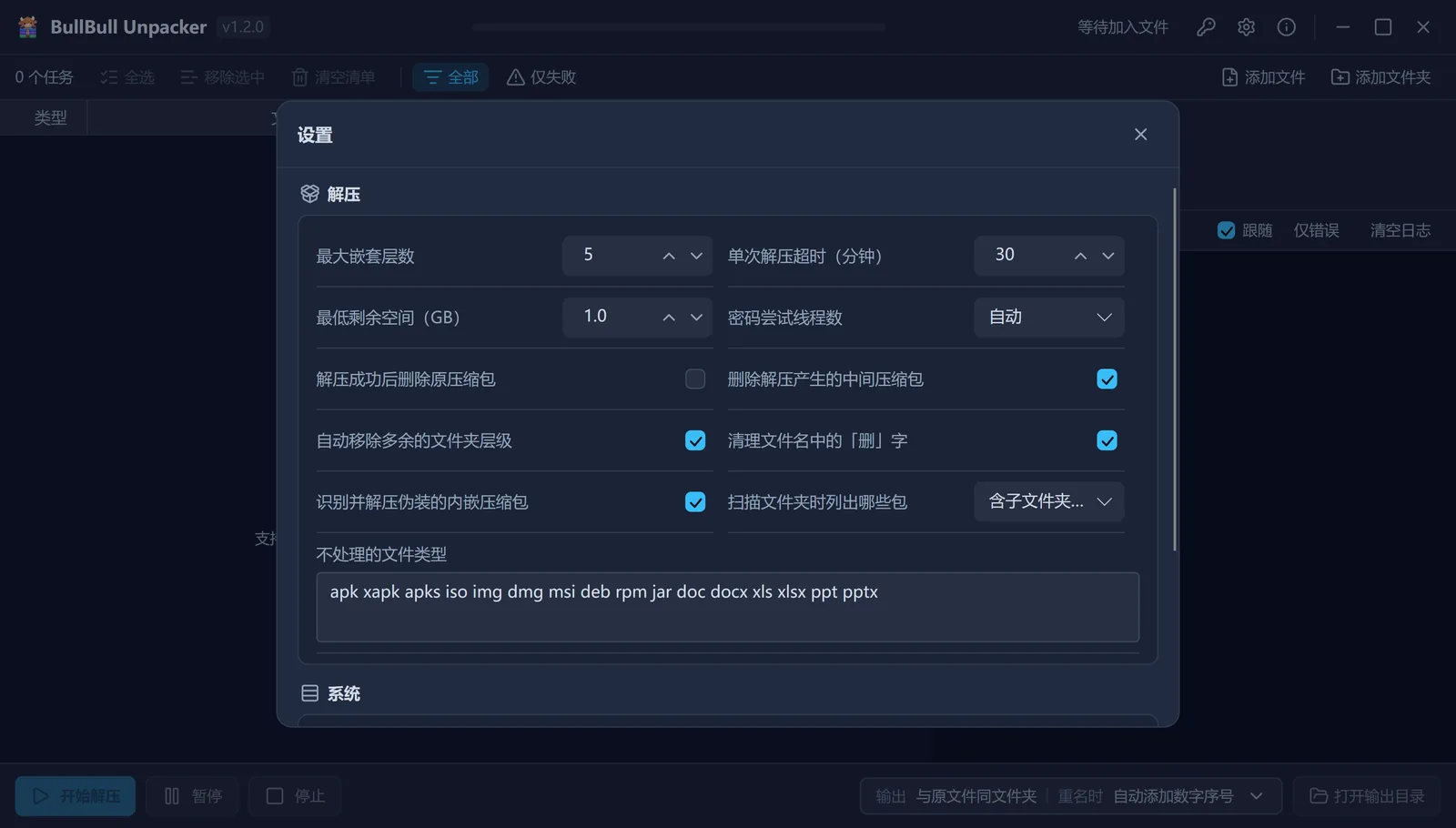
- Subfolder scan scope setting
- New Windows 11 context menu in the Store build
- Live progress for extraction and for password enumeration
- UnRAR integration, so users no longer need their own WinRAR install
Changed
- Faster password enumeration
- Layout and information hierarchy revised, copy rewritten and interactions refined
- Logging rebuilt: one timestamp, level and message format; the former
runanduilogs are merged - Bundled documentation updated
Fixed
- AES ZIPs with Chinese passwords are no longer misreported as a wrong password
- Encrypted 7z files using zstd, Brotli, LZ4, LZ5 or Lizard no longer stop enumerating when one candidate password fails
- Some extraction branches no longer skip finalization
- An engine warning no longer leaves intermediate archives behind
- Uninstalling the context menu no longer reports a wrong deletion count
- Extraction folder names are no longer stripped of valid suffixes
1.1.0Faster password lookup; clearer status and error classification2026-09-26
Added
- A partially complete status, so tasks that are not fully processed no longer read as complete
- Password attempt thread count setting
- Password book batch import, automatic upgrade and verbatim storage of special passwords
Changed
- Password lookup is faster
- The password book uses more reliable concurrent writes, and the entry limit is gone
- Nested archive discovery reaches deeper subdirectories and more archive formats
- Disguised archive detection follows one rule across the command line, the UI and folder scans
- Stop, pause and exit are honored during scans and password attempts
- Disk space checks, progress display, error diagnosis and logging improved
- Some UI and log copy adjusted and unified
Fixed
- Several cases of archives missing from the queue or skipped silently
- Tasks no longer read as complete after being stopped, skipped or hitting the depth limit
- Wrong passwords, corrupt files and missing volumes are no longer misclassified
- Duplicate processing caused by repeated archives, hard links, symbolic links and directory traversal
- Faults in multi-level extraction, same-name folder tidy-up and intermediate archive deletion
- Corrupt password books, wrong password records and special passwords that failed to save
- Conflicting status across the UI, logs and command line
Data and privacy
The app does not access the network on its own and includes no runtime telemetry, usage statistics or crash reporting. Extraction runs locally; the password book, settings and logs stay on this machine and the app never uploads them.
The password book is plain text, and logs may contain passwords and local paths.
Download
System requirements
Portable build: 64-bit Windows 10 version 1607 (build 14393) or later.
Store build: 64-bit Windows 10 version 2004 (build 19041) or later.